kirra-docs
Importing Block Models
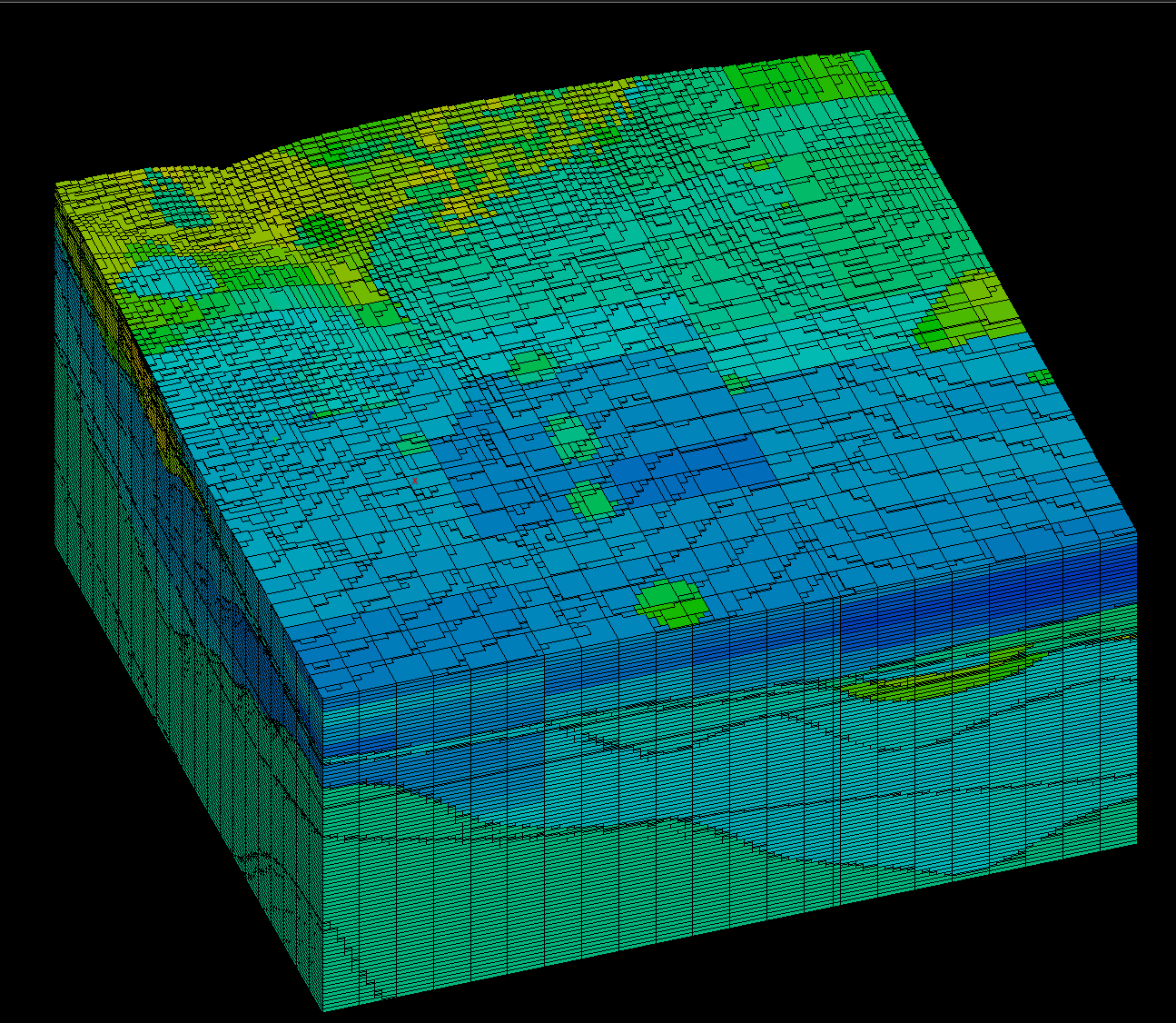
A block model is a 3D grid of blocks, each carrying the geology at that location: rock type, stratigraphy, grades, density, hardness and so on. Kirra loads block models from the major mine-planning packages so you can see the geology you are blasting into, in both the 2D and 3D views.
Supported formats
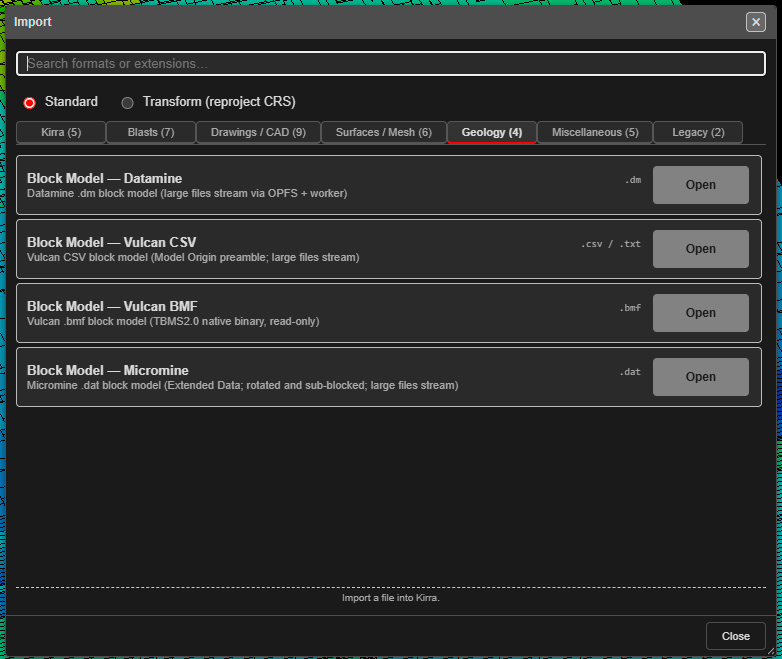
| Format | Extensions | Notes |
|---|---|---|
| Block Model — Datamine | .dm |
Datamine block model. Large files are streamed. |
| Block Model — Vulcan CSV | .csv / .txt |
Vulcan CSV export, with its Model Origin / Cell Sizes / Number of Cells preamble. Large files are streamed. |
| Block Model — Vulcan BMF | .bmf |
Vulcan’s native block model, regularised or sub-blocked. Read only. |
| Block Model — Micromine | .dat |
Micromine Extended Data block model, including rotated and sub-blocked models. Large files are streamed. |
Sub-blocked models load with every sub-block at its own size. Rotated models (Vulcan bearing, Micromine rotation) draw their blocks turned to match.
How to import
From the Import dialog
- Open the Import dialog and choose the Geology tab.
- Click Open on the row for your format and pick the file.
By drag and drop
Drop the file onto the canvas. .dm, .bmf and .dat files are recognised by their
content. A .csv or .txt file could hold blast holes, drawing geometry or a block
model, so Kirra always asks:
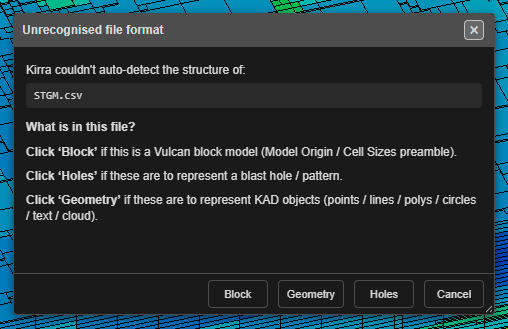
Click Block for a Vulcan block model CSV.
Large models: choose what to load
Block models are often hundreds of megabytes. For a file larger than about 25 MB, Kirra asks what to load before reading it:
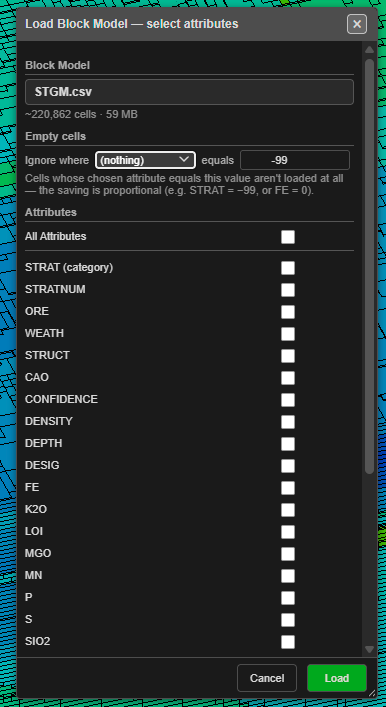
| Setting | What it does |
|---|---|
| Block Model | The file, with an estimate of its cell count and size. |
| Empty cells — Ignore where … equals … | Cells whose chosen attribute equals the value are not loaded at all, for example STRAT = −99 or FE = 0. The memory saving is in proportion to the cells dropped. |
| Attributes | Tick only the attributes you need. All Attributes ticks them all. Each block’s position and size always load. |
| Max cells (0 = all) | Loads only the first N cells. Useful for a quick look at a very large model. |
| Memory | The estimated memory the selection needs. It turns red, with Exceeds free heap, when the selection will not fit — untick attributes or set a cell cap. |
Click Load. The model is decoded in the background with a progress bar.
After the import
- The model appears in the Data Explorer under Geology, showing its cell count, attribute count and the attribute it is coloured by. The eye icon shows and hides it.
- The Load Block Model dialog opens so you can choose how it is drawn — see The Load Block Model Dialog.
- Models of more than a million blocks open on a single bench slice so the import stays quick. Untick Bench slice to see the whole model.
Troubleshooting
| Symptom | Cause | Fix |
|---|---|---|
| Exceeds free heap in the select dialog | The ticked attributes will not fit in browser memory | Untick attributes, use Ignore where, or set Max cells |
| Block Model Import Failed | The file is damaged, or is a variant Kirra does not read yet | Send the error text to support with a description of where the file came from |
See also: The Load Block Model Dialog · Export a Section and Build Solids · Supported File Formats