kirra-docs
Overview — What is Kirra?
Kirra is a web-based blasting pattern design application for mining, quarrying, and construction. It runs in any modern browser — no installation required. Simply open the application URL in Chrome (recommended), Firefox, Edge, or Safari and start designing blast patterns.
Desktop App
Kirra is also available as a desktop app from the downloads page:
- Installers for Windows, Mac and Linux.
- Windows no-install zip, for work computers where you cannot install programs. Unzip it anywhere you can save files, such as Documents, and run Kirra-Design.exe.
The no-install zip needs the Microsoft Edge WebView2 Runtime. Windows 11 and up-to-date Windows 10 already include it. If Kirra does not open, install the runtime free from Microsoft.
The desktop app is not code-signed, so Windows SmartScreen may warn the first time you run it. Click More info, then Run anyway. To avoid the warning, right-click the zip, choose Properties, tick Unblock, then unzip.
Who Is Kirra For?
| Role | How Kirra Helps |
|---|---|
| Blast Engineer | Design and optimise blast patterns, assign timing sequences, run vibration analysis, and export production-ready files |
| Shot Firer / Blaster | Review hole-by-hole charge instructions and timing diagrams before initiating |
| Drill & Blast Contractor | Import drill hole surveys, build charge decks, and export to downstream systems quickly |
| Surveyor | Import surfaces (DTM, OBJ, PLY), overlay GeoTIFF imagery, and work with real-world coordinates |
| Researcher | Use GPU/CPU blast analytics models, flyrock modelling, and surface boolean operations |
Key Features
- Combined 2D and 3D visualisation — 2D canvas for plan view plus Three.js 3D view for elevation and terrain context
- 20+ file formats — Import and export CSV, DXF, DTM/STR, OBJ, PLY, GLTF/GLB, IREDES, KML, SHP, LAS, GeoTIFF, and more
- Surface management — Import surfaces, run boolean operations, surface intersection, solid booleans, and section planes
- Blast analytics — 10 GPU/CPU models for vibration prediction, Voronoi rock distribution, and blast statistics
- Flyrock modelling — Flyrock shroud visualisation for safety planning
- Charging system — Build deck-loaded charge designs with stemming, boosters, and explosive products
- Print to PDF – Direct print or print from XLSX templates
- Orbit Focus – Click any point in 3D to set it as the orbit centre for targeted inspection
- Dockview panels – Resizable, dockable, and pop-out panels for Viewport and Explorer
- Pattern Templates – Save and reuse standard pattern configurations (burden, spacing, diameter, hole type) as named templates
- Dark and light themes – Toggle between themes for comfortable viewing
- Internationalisation – English, Simplified Chinese, French (France and Québec), Mongolian, Russian, and Spanish (Spain and Latin America), using the blasting terms engineers use in each language – see the Blasting Glossary
Coordinate System
Kirra uses UTM-style real-world coordinates:
| Axis | Meaning |
|---|---|
| X | East (metres east) |
| Y | North (metres north) |
| Z | Elevation (metres altitude) |
Data is typically in UTM or custom mine grid. The canvas uses Y-up for North (+ve) and Y-down for South (-ve); West is X -ve and East is X +ve.
Supported Data
| Data Type | Formats / Contents |
|---|---|
| Blast holes | Collar, toe, grade, diameter, bearing, inclination, timing, charge info |
| Surfaces | DTM, STR, OBJ, PLY, GLTF/GLB — triangulated meshes for terrain and geology |
| KAD drawings | Points, lines, polygons, circles, text — vector overlays |
| GeoTIFF imagery | Georeferenced raster imagery for background context |
Data Persistence
Kirra stores your data in IndexedDB — your browser’s local storage. Holes, surfaces, KAD drawings, and layer settings are saved automatically. No server upload is required; your data stays on your device. See Starting, Saving & Projects.
Tip: Need a fresh start without losing your work? Kirra keeps ten separate workspaces — pick an empty one from the Workspace toolbar. See Interface Tour — Workspace Toolbar.
Screenshots
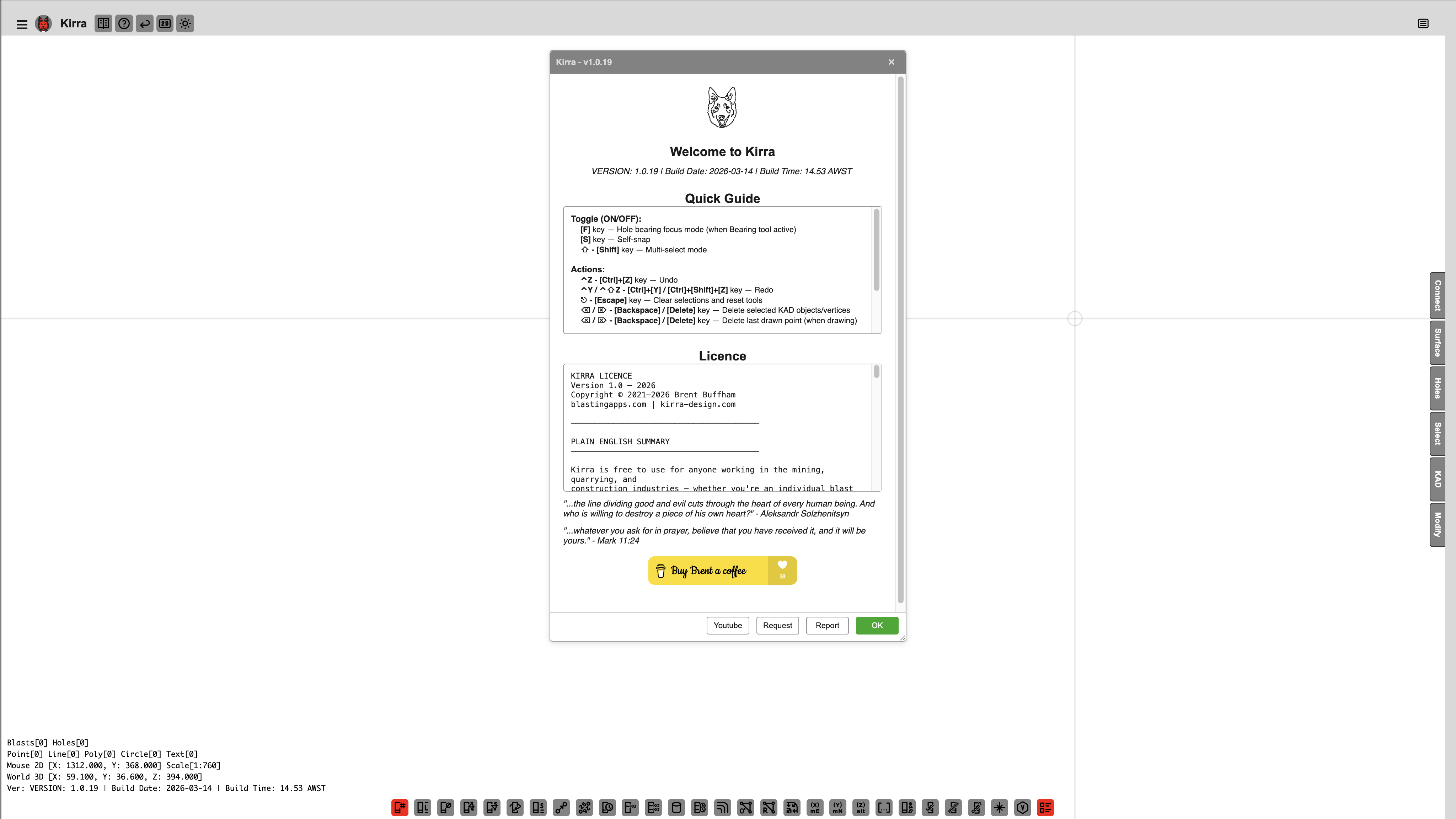 The Welcome popup on startup shows version info, a quick guide, and licence details.
Next: Interface Tour →