kirra-docs
Reorder KAD Points
Chooses which vertex a line, polygon or point set starts from, and which way round it runs. Point order matters for exports, labels and tools that follow a line from its start.
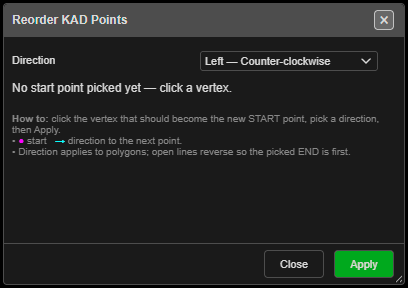
Set a new start point
- Click Reorder KAD Points on the Modify toolbar. The palette opens and point IDs are switched on so you can see the order.
- Click the vertex that should become the new START (marked in magenta, with a cyan arrow for the direction).
- Choose Direction: Left — Counter-clockwise (default) or Right — Clockwise.
- Click Apply. The points are renumbered from 1. The palette stays open for another drawing.
- Close the palette, or right-click twice quickly, to finish. Point IDs go back to how they were.
- On an open line only one of its two ends can be the start — picking it reverses the line.
- Polygons and point sets accept any vertex.
Other ways to use it
| Method | Result |
|---|---|
| Right-click the canvas | Clears the pick |
| Right-click twice quickly | Ends the tool |
| Escape | Ends the tool |
| Works in 3D | Pick vertices in either view |
Undo
Each Apply is one Ctrl+Z step.
Note: Offset direction comes from the drawn shape, not the point order — reordering does not change which way Offset KAD goes.